1.Enable USB Debugging mode on your phone. (Search Google for specific phone model debugging mode).
2.Connect your phone to the computer using a USB cable.
3.Download the adb program on your computer from https://web.vphoneos.com/tools/adb.zip
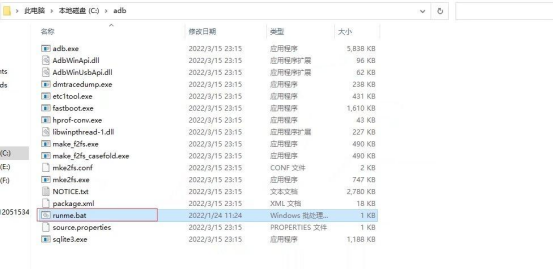
4.Extract it to the root directory of the C drive, and double-click to execute 'runme'.
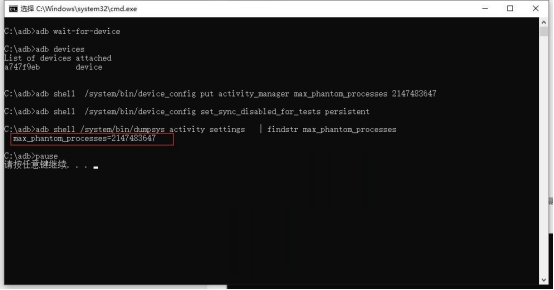
5.If this code appears, it means the unlocking is successful, and you can now run the VPhoneOS normally.